
Reset your password
It takes about a minute, and you do it yourself — nobody ever needs to know your password.
- STEP1
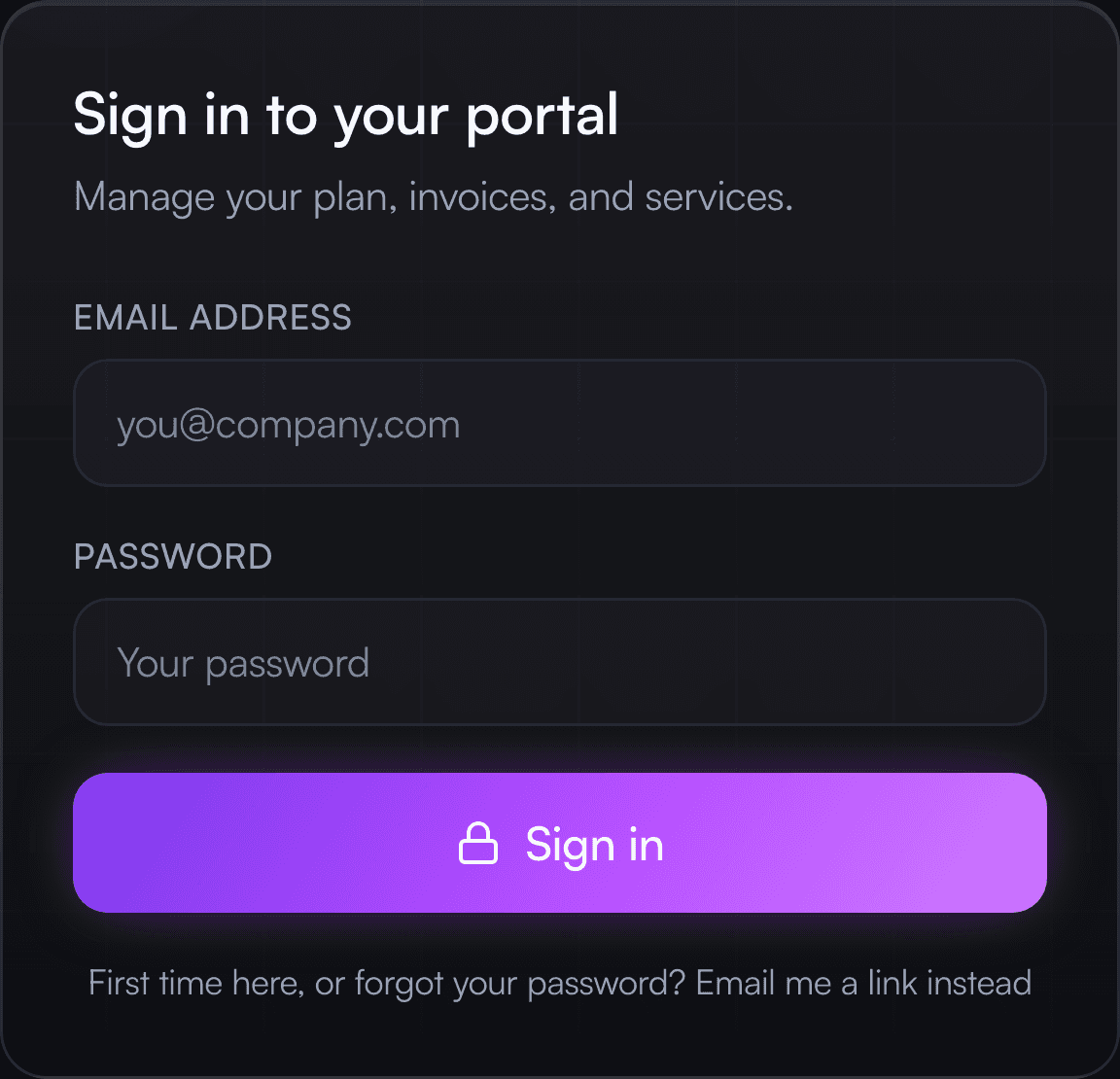
Open the sign-in page
Go to zekecreations.com/login and tap “First time here, or forgot your password? Email me a link instead” at the bottom.
- STEP2
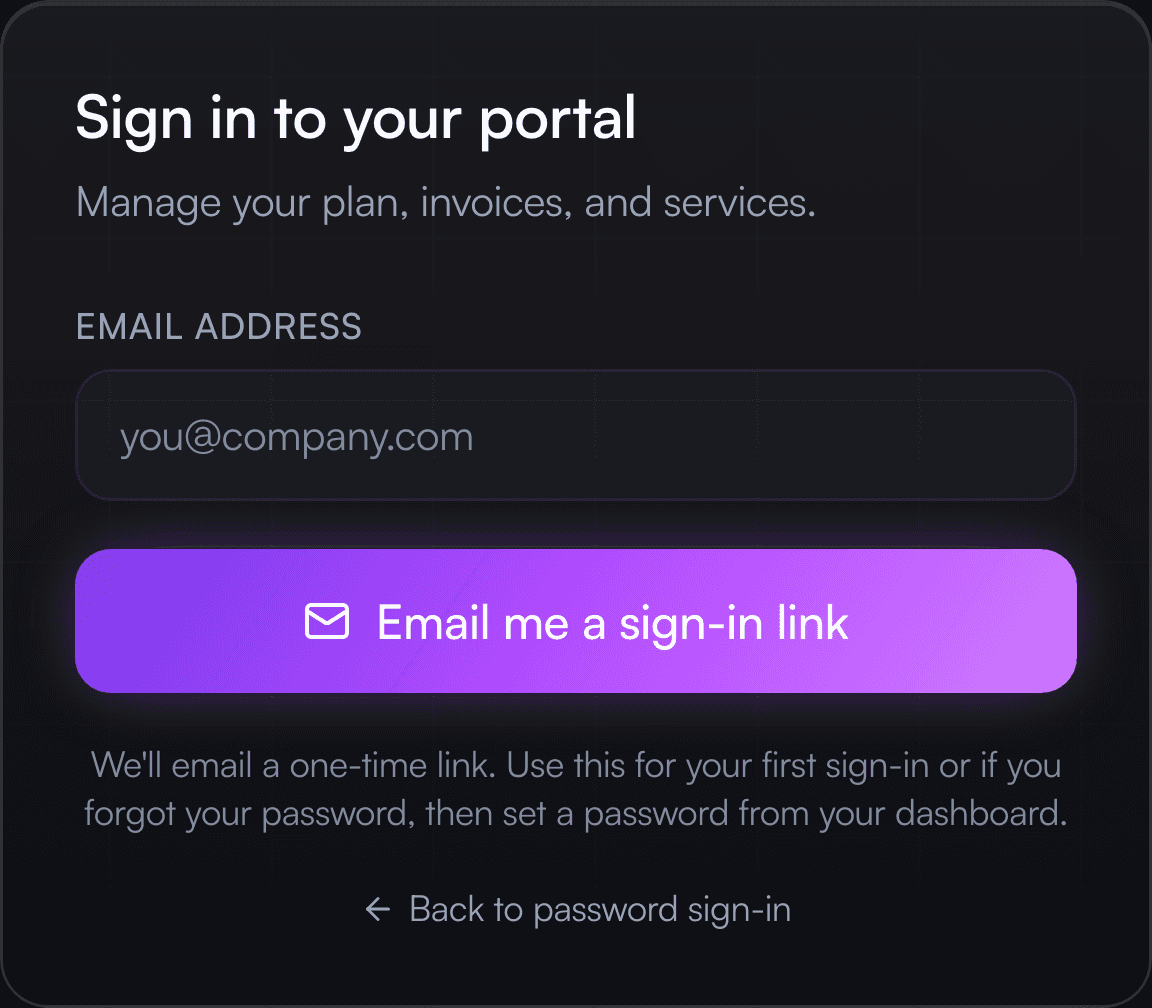
Enter your email
Type the email address you use with us, then tap “Email me a sign-in link”.
- STEP3
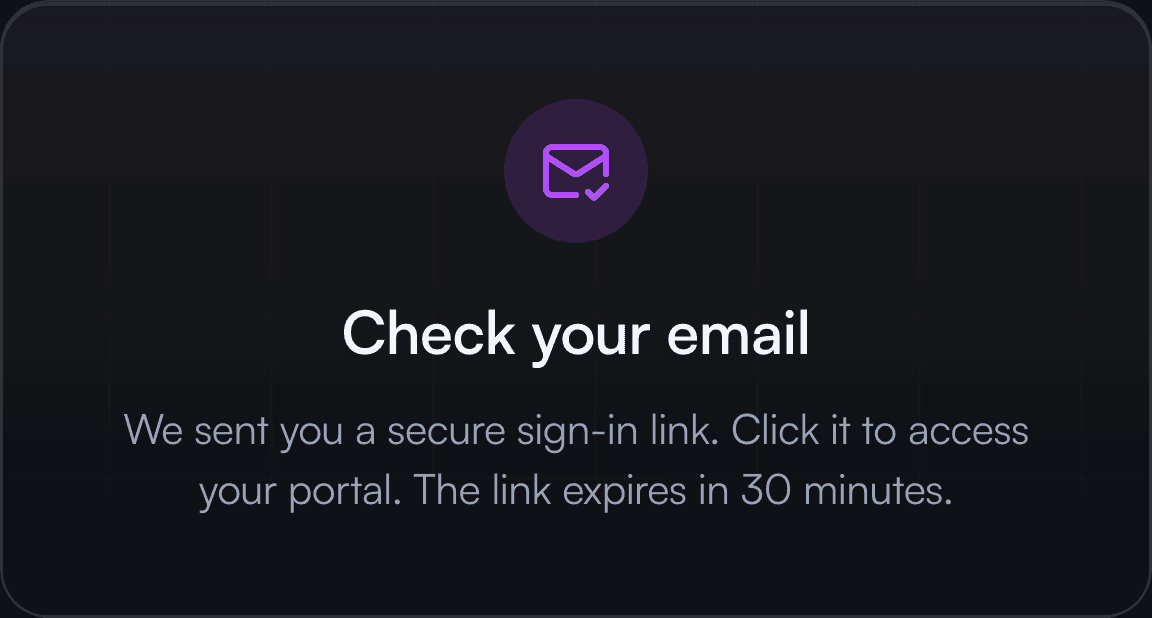
Check your inbox
You’ll see this confirmation. The link works once and expires after 30 minutes.
- STEP4
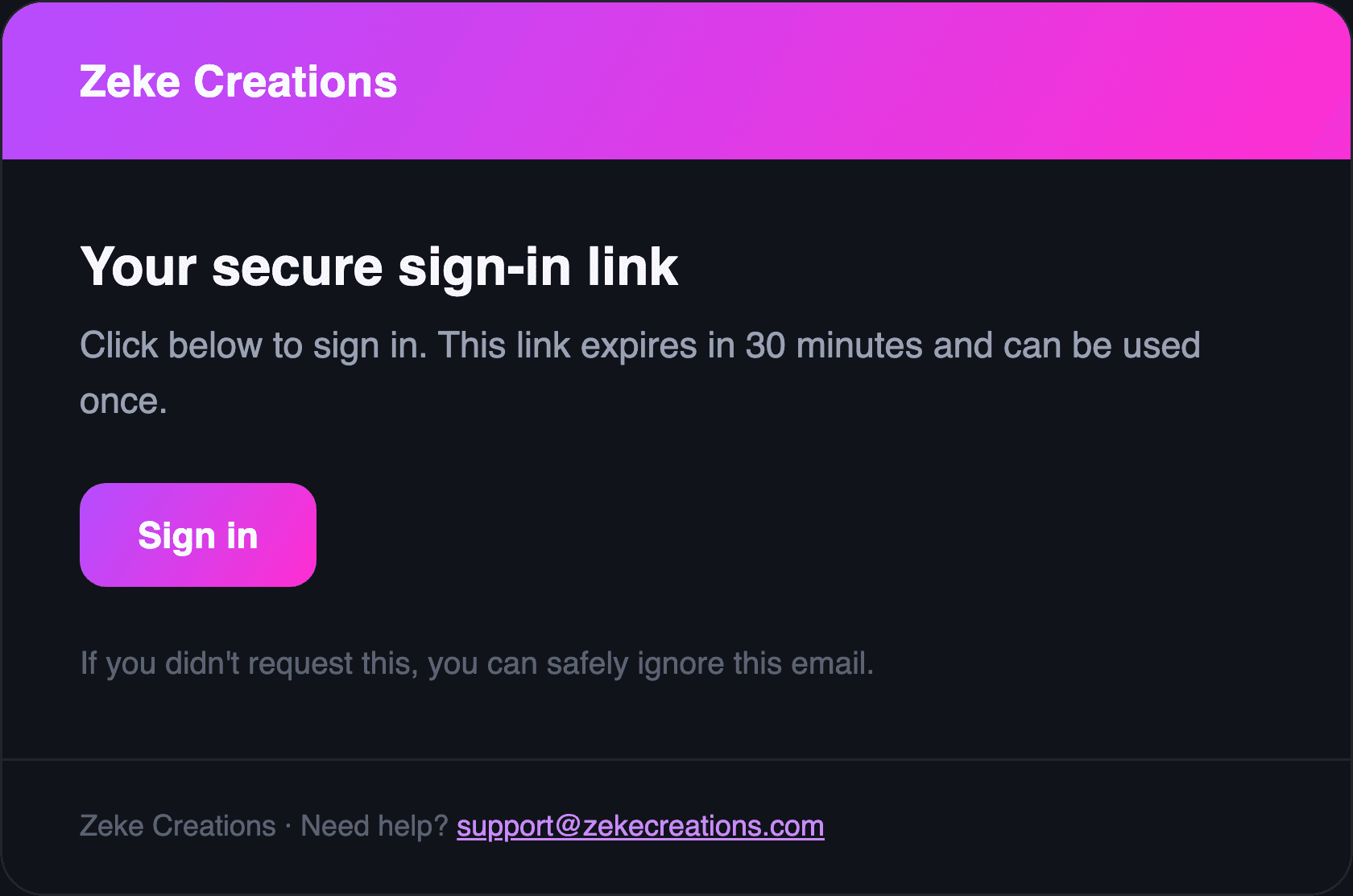
Tap “Sign in” in the email
It comes from billing@zekecreations.com. If it isn’t there within a minute, check your spam or junk folder.
- STEP5
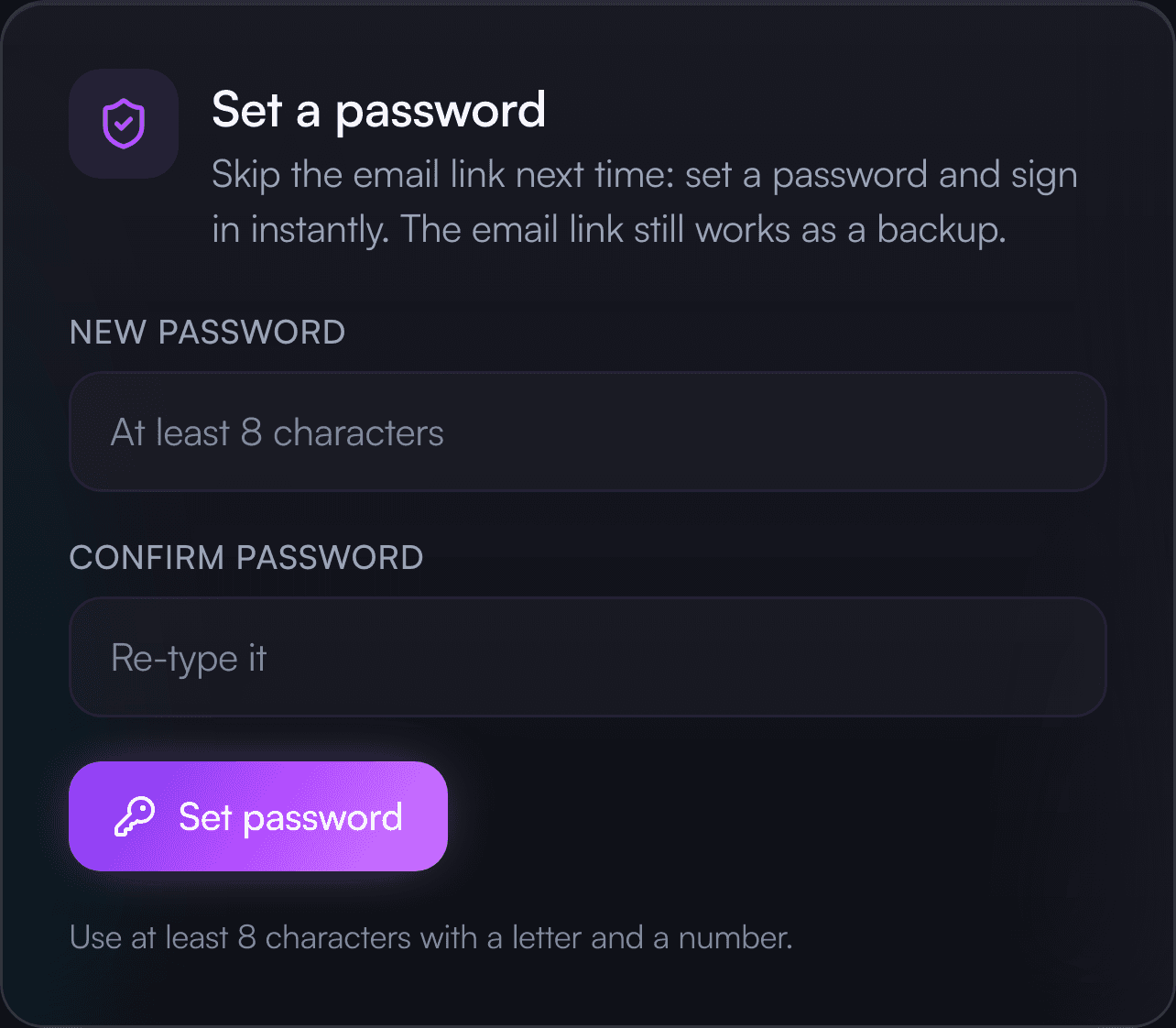
Choose your new password
On your dashboard, find the “Set a password” card — it says “Change your password” if you already had one. Type it twice and tap the button. Done.
If something goes wrong
- Email not arriving? Check spam / junk first — that’s the usual culprit.
- Don’t tap the button over and over. After 6 requests in 10 minutes new links pause briefly.
- An old link won’t work. Just request a fresh one.
- Still stuck? Email support@zekecreations.com and we’ll sort it out.